IPTV Canada: live TV on every screen in your home
Thousands of live channels, movies and series on your smart TV, Firestick, Android box, Apple TV or phone. Three clear plans, a one-time payment in Canadian dollars, and your access by e-mail within minutes.

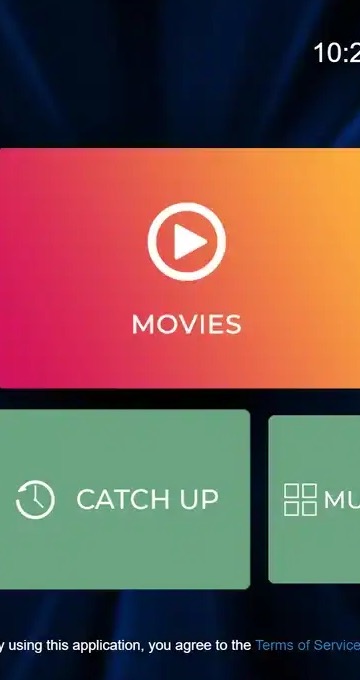
Works on the screens you already own


Everything you expect from TV, without the cable box
No technician, no rented equipment, no contract. Your internet connection and an app are all you need.
Live channels plus a large library of movies and series, all in one app. From 20,000+ channels with the Premium Pack.
Order, pay once, and receive your Xtream Codes or M3U link by e-mail. Follow our setup guides and start watching.
Picture quality adapts to your connection. Plan for 10 Mbps in HD, 15 Mbps in Full HD and 25 Mbps in 4K per screen.
Pay by card or PayPal for the duration you choose. No automatic renewal and no hidden contract.
Install your access on several devices and watch on one at a time. Need more screens at once? Ask our support.
Our team answers 7 days a week by e-mail and WhatsApp, in English and in French, before and after your order.
How IPTV Canada reaches your screen
No dish on the roof and no coaxial cable behind the TV. The picture travels the same road as your e-mail: the internet line you already pay for every month.
Picture three layers, each with one job. The device is the hardware: it either is your TV or plugs into it. The player app is the software that draws the menus, the channel list and the TV guide on that hardware. Your login is the key that tells the player which catalogue to open. We supply only the third layer, the plan and its login. The device belongs to you and the player belongs to its publisher, which is exactly why you can change either one later without ordering a new plan.
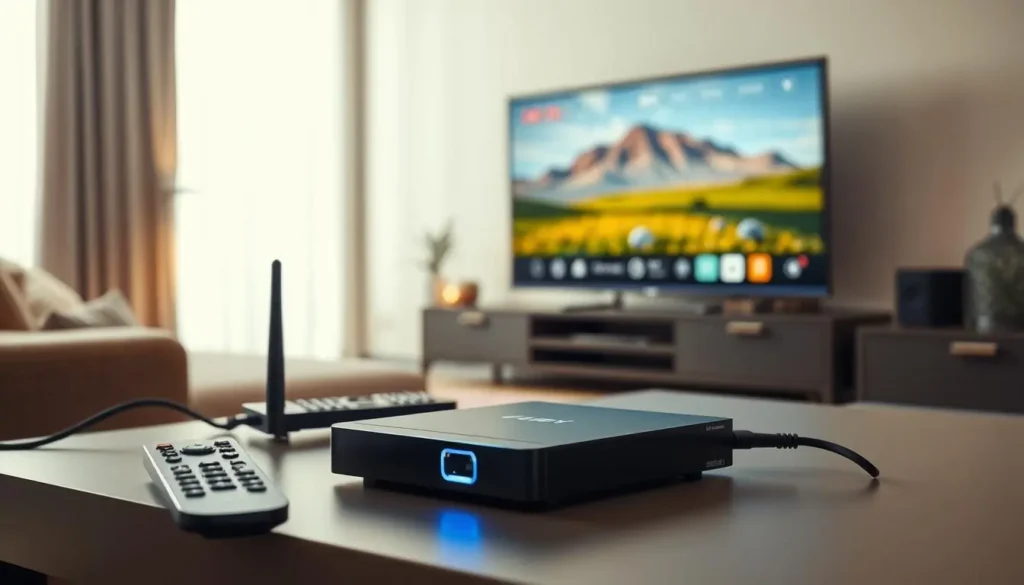
What changes compared with a cable box
With cable or satellite, the provider owns the box and the wire running into your wall. With IPTV, the hardware is whatever you already have and the signal arrives as ordinary data. In practice that means no installation appointment, no rented equipment to send back, and the option to watch on a phone or tablet as easily as on the big screen.
The flip side: your home network now matters a great deal. A weak Wi-Fi signal in a basement rec room shows up as buffering, which is why a good part of this page is about speed and router placement.
- Runs on your existing internet line
- Uses hardware already in your home
- One login for every device you own
- Live channels, series and movies in one app
New to the vocabulary? If IPTV, Xtream Codes or M3U sound like jargon, our guide What is IPTV? starts from zero, and the glossary near the bottom of this page gives a one-line meaning for each term.
A five-minute check of your home setup
Most hiccups people meet in their first week could have been spotted before checkout. Walk through these four points with the remote in your hand.
The screen
Note its resolution: 720p, 1080p or 4K. A Full HD set gains little from a library built for 4K; a large 4K panel does.
The device
Open its app store and search for IPTV Smarters Pro or IBO Player. If a player shows up, the device is ready for IPTV.
The network
Is the device on 5 GHz Wi-Fi, or does it have an Ethernet port? Run a speed test on the device itself, not on your phone.
The household
Count who watches at the same moment. One viewer at a time suits any plan; two at once means a quick word with support.
Start with no extra hardware. Look for Smart IPTV or IBO Player in the TV’s own store and follow the smart TV walkthrough step by step.
Then: read IPTV on Samsung and LG smart TVsA Fire TV Stick or an Android TV box in a spare HDMI port opens up the widest choice of players and usually feels quicker.
Then: compare models in best IPTV box in CanadaSort out the network before anything else. Bring the device closer to the router, switch it to 5 GHz, or run a cable.
Then: see the speed guide further down this pageA plan covers one stream at a time. Ask support for the conditions of extra simultaneous screens before you pay, not after.
Then: read IPTV on multiple screensIPTV Canada plans: one simple payment
Prices in Canadian dollars. Pick a duration and the price adjusts — the longer the plan, the lower the cost per month.
Premium Pack
The essentials, in HD and 4K
that is /month · 12 months
you save- 20,000+ channels
- 24,000+ series
- 100,000+ movies
- HD · Full HD · 4K
- 1 connection · more on request
VIP Premium Pack
The extended catalogue
that is /month · 12 months
you save- 27,000+ channels
- 61,000+ series
- 155,000+ movies
- HD · Full HD · 4K
- 1 connection · more on request
Ultimate 4K Pack
The maximum, in native 4K
that is /month · 12 months
you save- 57,000+ 4K channels
- 47,000+ series
- 179,000+ movies
- 20 servers in Europe
- 1 connection · more on request
One connection per plan. Install your access on as many of your own devices as you like and watch on one screen at a time. For several screens at the same time, contact support: they will give you the conditions before you order.
Multiple screensCompare the three IPTV Canada packs
All three packs run on the same devices, in the same players, with the same type of login. What changes is the size of the library and how much of it is built for a 4K screen.
VIP Premium Pack
- 27,000+ channels
- 61,000+ series
- 155,000+ movies
- HD, Full HD and 4K
Ultimate 4K Pack
- 57,000+ 4K channels
- 47,000+ series
- 179,000+ movies
- 20 servers in Europe
Every pack plays in HD, Full HD and 4K, so picture quality alone does not decide. Premium covers live TV essentials, VIP Premium carries the largest series library of the three, and Ultimate 4K pairs a 4K channel line-up with the biggest movie catalogue.
| Feature | Premium | VIP Premium | Ultimate 4K |
|---|---|---|---|
| Live channels | 20,000+ | 27,000+ | 57,000+ in 4K |
| Series | 24,000+ | 61,000+ | 47,000+ |
| Movies | 100,000+ | 155,000+ | 179,000+ |
| Plays in HD, Full HD and 4K | Yes | Yes | Yes |
| Same players and devices | Yes | Yes | Yes |
| Connections at the same moment | 1 | 1 | 1 |
| Durations on offer | 1, 3, 6 or 12 months | 1, 3, 6 or 12 months | 1, 3, 6 or 12 months |
| Renews by itself | No | No | No |
| Contract to sign | No | No | No |
Premium: live TV first
A couple who watches the news, a game and an evening show. A 1080p TV in the den or a set at the cottage on modest Wi-Fi.
VIP Premium: the series household
Teenagers on one show, parents on another, grandparents on a third. The bigger series shelf keeps everyone busy, one screen at a time.
Ultimate 4K: the home cinema
A large 4K panel, a 4K-capable box on an Ethernet cable and 25 Mbps available for that screen. Movie nights are the point.
Buy for the TV and the Wi-Fi you have today, not for the one in next year’s flyer.
Prices change with the duration you pick, so we keep them in one place: see current prices on the IPTV subscription plans page, or read IPTV Canada price: what you really pay for a plain breakdown of what the payment covers.
Choosing between 1, 3, 6 and 12 months
The pack decides what you watch. The duration decides how long you watch it before you choose again. Nothing else changes between durations.
Every duration is a single payment in Canadian dollars, by card or PayPal. Nothing is kept on file to charge you later, and when the period ends, access simply stops. The longer the block, the lower the cost per month, which is the only financial difference between them.
| Duration | Suits you when | Keep in mind |
|---|---|---|
| 1 month | IPTV is new to you, or you want to see how your Wi-Fi copes on a real weeknight | Highest cost per month; you reorder each time |
| 3 months | You want a full season of a show or one Canadian winter indoors | A good bridge between a first look and a longer plan |
| 6 months | Your device and network are already sorted and you watch most evenings | Check that the player on your TV is the one you like |
| 12 months | Your setup is settled and the household watches daily | Lowest cost per month; confirm the pack before you commit to a year |
A longer plan makes sense if
- You have already watched on this device without buffering
- Everyone at home agrees on the pack
- You would rather not think about it again for months
- The cost per month matters more than flexibility
Stay short for now if
- You have not tested the Wi-Fi in the TV room yet
- You may move house or change internet provider soon
- You are torn between two packs
- The TV or box is about to be replaced
Two detailed pages help here. The 12-month IPTV subscription page covers who benefits from a full year, and the monthly IPTV subscription page explains how to use a single month as a low-risk first step. For card and PayPal questions, see paying for your IPTV subscription in Canada.
From order to first channel
Premium, VIP Premium or Ultimate 4K, for 1, 3, 6 or 12 months. Secure payment by card or PayPal.
Your login arrives by e-mail within minutes: Xtream Codes (server, username, password) or an M3U link.
Add your access to IPTV Smarters Pro, TiviMate or another player on your device, and you are watching.
Your first evening with IPTV Canada, step by step
The three steps above, stretched out so you know what each moment looks like. Set aside about as long as it takes to make supper.
- At checkout
Pick the pack and the duration
Choose Premium, VIP Premium or Ultimate 4K, then 1, 3, 6 or 12 months. Use an e-mail address you can open on your phone, because you will read the login from it.
- Minutes later
Open the e-mail with your access
It holds either Xtream Codes details (server URL, username, password) or an M3U link. Leave it open on your phone next to you on the couch.
- On the TV
Install the player from the official store
Search the store on your TV, stick or box for the player you picked. Never install a player from a website link or a file someone sends you.
- In the player
Enter the login and wait for the list
Choose the Xtream Codes option, type the three fields carefully with the remote, and let the channel list and TV guide load the first time.
- Before bed
Tidy up the settings
Set the guide to your time zone, mark your favourite channels and note which picture quality plays smoothly on your connection.
The login screen in IPTV Smarters Pro: four fields, three of them copied from your e-mail.
The field that trips people up is the server URL: copy it character for character, with no extra slash or space at the end. Usernames and passwords are case-sensitive, and once saved you will not type them again on that device.
Keep the login inside your household. Your access is for the devices in your own home. Passing it to friends or another address breaks the one-connection rule and can interrupt your own viewing. If someone else wants IPTV, point them to the plans page, and see our IPTV setup hub if a field still puzzles you.
Xtream Codes or M3U: picking the right login
Your e-mail gives you one of two formats. Both open the same catalogue; they differ in how the player reads it and how easy they are to type.
| Question | Xtream Codes | M3U link |
|---|---|---|
| What you receive | A server URL, a username and a password | One long web address |
| Players that take it well | IPTV Smarters Pro, TiviMate, XCIPTV, IBO Player | Players that only accept a playlist, and computer players |
| Typing with a TV remote | Three short fields, manageable | Long and error-prone; easier to paste on a phone or PC |
| Movies and series sections | Usually shown as separate menus | Depends on the player |
| TV guide | Usually loads with the login | Depends on the player; support can help |
| Where to read more | Set up IPTV with Xtream Codes | Set up IPTV with an M3U playlist |
Our rule of thumb: if your player shows an Xtream Codes option on its first screen, use it. It is shorter to type and usually brings tidy menus and the TV guide with it. Keep the M3U route for players that offer nothing else, or for a computer where you can paste a long link in one go. If you are unsure which format your e-mail contains, forward the question to support and they will tell you which fields go where.
Ready to pick your pack?
Choose a duration, pay once in Canadian dollars and receive your login by e-mail within minutes.
Your TV guide, on your local time
Canada spans six time zones. Set the programme guide to yours once, and every show starts when the guide says it does.
Getting the TV guide right in every province
A guide that runs an hour early or late is the most common small annoyance in a new setup. It takes one setting to fix, once per device.
Why the guide can drift by an hour
The listings reach your player with a reference time. Your device then shifts them to its own clock. When the device clock, the time zone setting in the player and your actual location disagree, shows appear in the wrong slot. A device bought in another province, or one still on factory settings, is the usual culprit.
Daylight saving adds a twist. Most of the country moves its clocks twice a year, but most of Saskatchewan stays on the same time all year, and Newfoundland sits half an hour apart from Atlantic Time. Players handle this well as long as the device knows where it is.
- Check the device clock first. In the system settings of the TV, stick or box, set the time zone by region rather than by offset, and turn on automatic time.
- Open the player’s guide settings. Look for an option called time shift, EPG offset or timezone, usually under Settings or Guide.
- Adjust by whole hours. Move the offset one hour at a time and compare with a programme whose start you know.
- Refresh the guide. Use the update or reload EPG option so the listings are fetched again with the new setting.
- Repeat on each device. The setting lives in each player, so the bedroom stick needs its own adjustment.
Good to know
The guide only describes what is on; it does not change what plays. If live channels play but the grid is empty, the stream works and the guide simply needs a refresh. Our IPTV EPG guide covers the menus of each popular player.
What each device family does best
You do not need new hardware to start. This table shows where each common device shines and which player to try on it first.
| Device in your home | Try these players first | Best network link | Walkthrough |
|---|---|---|---|
| Samsung or LG smart TV | Smart IPTV, IBO Player | The TV’s own Ethernet port, else 5 GHz | Smart TV guide |
| Fire TV Stick | IPTV Smarters Pro, TiviMate, XCIPTV | 5 GHz Wi-Fi, stick kept clear of the TV panel | IPTV on Firestick |
| Android TV or Google TV box | TiviMate, IPTV Smarters Pro, IBO Player, XCIPTV | Ethernet cable when the box has a port | Android TV box guide |
| Apple TV | GSE Smart IPTV, IPTV Smarters Pro | Ethernet on models with a port, else 5 GHz | IPTV on Apple TV |
| iPhone or iPad | GSE Smart IPTV, IPTV Smarters Pro | Home Wi-Fi, near the router | Apple devices guide |
| Android phone or tablet | IPTV Smarters Pro, XCIPTV | Home Wi-Fi on 5 GHz | IPTV apps |
| PC | Any player that accepts Xtream Codes or M3U | A cable if the desk is near the router | M3U setup |
A pattern stands out. Plug-in devices such as a Fire TV Stick or an Android TV box give you the broadest choice of players, and they are cheap to replace when they age. Smart TV apps avoid an extra remote but depend on what the TV maker’s store carries. Phones and tablets are perfect for the kitchen counter or a hotel room, as long as you remember the one-connection rule when the living room TV is already playing.
A step-by-step guide for every device
Each guide covers installing the player, entering your login and the best picture settings.
Keep the player you like
Your access works with the most popular IPTV players. Switch apps any time with the same login.
 IPTV Smarters ProAll devices
 IBO PlayerSmart TVs · boxes
 Smart IPTVSamsung · LG
 GSE Smart IPTViPhone · Apple TV
Choosing a player app without overthinking it
The player is the part you look at every night, so it deserves a minute of thought. The good news: you can switch later and keep the same login.
IPTV Smarters Pro
The all-rounder. Available on most devices, with separate menus for live TV, movies and series. A safe first choice if you have never used a player.
TiviMate
Made for Android TV and Fire TV. Its guide looks like a classic cable grid, which suits people who mostly flick between live channels.
Smart IPTV
A long-standing option on Samsung and LG smart TVs. Simple screens, controlled entirely with the TV’s own remote.
IBO Player
Found on smart TVs and boxes alike. A tidy layout with posters for movies and series, handy for families who browse together.
XCIPTV
Popular on Android devices and Fire TV. Straightforward Xtream Codes login and a light interface that suits older sticks.
GSE Smart IPTV
A common pick on iPhone, iPad and Apple TV. Accepts both Xtream Codes and playlist links from the same app.
We are independent from app publishers. None of these players is made or sold by IPTV Canada. Install them only from your device’s official app store. Some players ask for an activation or licence after a while; check the current price on the app’s official website, and remember that this is separate from your IPTV plan.
Start with the player the device table suggests for your hardware and change only if something bothers you, such as the guide layout or the text size from the couch. Your login works in all of them. The IPTV apps hub compares them, with a page each for TiviMate, IBO Player and XCIPTV.
Internet speed for IPTV Canada: what each screen needs
Your plan is only as smooth as the link between the router and the TV. These are the speeds we recommend per screen, measured where you watch.
Recommended speed for one screen
The figures add up when more than one screen plays at once, which only applies if support has arranged extra simultaneous connections for you. The table below does the arithmetic for common living situations. Measure on the device itself: a phone next to the router can show a great result while the TV two floors down receives a fraction of it.
| What is playing at the same moment | How to add it up | Plan for at least |
|---|---|---|
| One HD screen | 10 | 10 Mbps |
| One Full HD screen | 15 | 15 Mbps |
| One 4K screen | 25 | 25 Mbps |
| HD in the kitchen and Full HD in the den | 10 + 15 | 25 Mbps |
| Full HD in a bedroom and 4K in the living room | 15 + 25 | 40 Mbps |
| Two 4K screens | 25 + 25 | 50 Mbps |
- Use the 5 GHz Wi-Fi band for the TV, or better, an Ethernet cable
- Keep the router out of closets and away from the floor
- Restart the router when the house has been streaming for days
- Pause big transfers on other computers during the evening film
- Run the speed test in the TV room, at the hour you usually watch
Deep dive: 2.4 GHz, 5 GHz and the basement problem
Most home routers broadcast two networks. The 2.4 GHz band travels further and through more walls, but it is slower and crowded by neighbours, microwaves and older gadgets. The 5 GHz band is much faster over short distances and less congested, but concrete floors and long hallways weaken it quickly. For a TV within a room or two of the router, 5 GHz is the right choice. For a basement or a far bedroom, a mesh system or a powerline adapter often solves what no plan change could. Our IPTV buffering page walks through each fix in order.
IPTV in your city
Local tips for your time zone, your home and your languages.


Also: IPTV Ontario · IPTV Brampton · IPTV Montreal · all locations
One connection, every device in your home
This is the rule people ask about most, so here it is without small print.

Install everywhere, watch one at a time
Each pack includes one simultaneous connection. You may enter the same login on the living room TV, the bedroom stick, a tablet and a phone. What you cannot do is have two of them playing at the same moment: only one stream is allowed at a time on a standard plan.
For most couples and many families that is enough. The TV is on in the evening, the tablet takes over at breakfast, the phone comes along on a trip. Where it falls short is the household where two people genuinely watch different things at the same hour every night.
- Same login saved on as many of your own devices as you like
- One stream playing at any moment
- Extra simultaneous screens on request only
Need two screens at once
Contact support before you order and describe your household. They will explain the conditions and the price for additional simultaneous connections. We do not publish a multi-screen package on the site, so any number you see elsewhere does not come from us. Start at contact us or read IPTV on multiple screens first.
IPTV Canada from the Pacific to the Atlantic
The plans are the same everywhere in the country. What changes from one region to another is the home: the language spoken at the table, the time zone and the shape of the house.
Québec and Montréal
French-language content, bilingual homes and support that answers in French. See IPTV Quebec and IPTV Montreal.
Toronto and the GTA
Condo towers with crowded Wi-Fi, where a short cable often changes everything. Read IPTV Toronto.
Brampton
Multigenerational households and international content, with the one-connection rule planned around family routines. See IPTV Brampton.
Ontario beyond the city
Rural lines and cottage weekends, where checking the speed at the TV matters most. Read IPTV Ontario.
Calgary and Alberta
Mountain Time in the guide and Wi-Fi that has to reach a basement. See IPTV Calgary.
The Prairies, BC and the Atlantic
Same plans, same setup; only the guide offset differs. Our IPTV across Canada hub groups the local tips.

IPTV or cable: what actually changes at home
Switching is less about the picture and more about the paperwork, the hardware and who controls the schedule.
The arrangement, not the screen
Cable and satellite bundle three things together: the service, the equipment and a commitment. IPTV unbundles them. You choose the device, you choose the player, and you choose how long to pay for. Nobody needs to come into your home, and when you move you simply plug the same stick into the TV at the new address.
What you give up is the single company to call for everything. Your internet provider looks after the line, your device maker looks after the hardware, and we look after the plan and help you put the pieces together.
| At home | IPTV Canada | A typical cable arrangement |
|---|---|---|
| Equipment | Devices you already own | Often a box supplied by the provider |
| Installation | An app and a login, done by you | Varies; sometimes a visit |
| Contract | No | Depends on the offer |
| Automatic renewal | No | Usually a monthly bill |
| Watch on a phone or tablet | Yes, same login | Depends on the offer |
| Moving house | Take the device, plug it in again | Usually a transfer request |
| Depends on your home internet | Yes | Not for traditional cable |
The last line is the honest one. IPTV leans on your internet connection, so a household with a weak line or a router stuck in a closet should fix that first. See IPTV vs cable in Canada and 4K IPTV: what you need.
How to judge any IPTV provider before you pay
Whether you choose us or someone else, the same questions separate a service you can rely on from one that disappears after a month.
Signs of a provider worth trusting
- Clear pack contents and prices shown before checkout
- One-time payment with no hidden renewal
- Honest connection rules, stated in plain words
- A way to reach a person before you buy
- Players installed only from official app stores
- A neutral, careful answer on legality
Reasons to walk away
- Logins or playlists handed out at no cost to lure you in
- Player files sent by link instead of a store listing
- Unlimited screens promised for a single price
- Ratings and quotes you cannot verify anywhere
- Pressure to pay before any question is answered
- Advice on getting around blocks or restrictions
Use that list as a scorecard rather than a verdict. Ask your questions in writing, by e-mail or WhatsApp, so you keep a record of the answers. Then compare the answers with the plan page.
A word on legality
The technology is legal; whether a service is legal depends on the broadcasting rights it holds, so check before subscribing. Our guide Is IPTV legal in Canada? explains what to look at, in neutral terms.
For a deeper method, read best IPTV in Canada: how to choose, and for spotting reliable feedback from other households, see IPTV Canada reviews: how to judge a provider.
IPTV Canada, explained simply
IPTV Canada brings live TV channels, movies and series to your home through your internet connection instead of a cable or satellite box. You install a player app on your smart TV, Fire TV Stick, Android box, Apple TV or phone, enter the login you receive by e-mail, and you are ready. Our three plans differ by catalogue size and picture quality: the Premium Pack covers the essentials, the VIP Premium Pack extends the library, and the Ultimate 4K Pack is built for big 4K screens.
Not sure which duration to take? The 12-month IPTV subscription gives the lowest cost per month, while the 1-month plan lets you try without committing. Our guide to the best IPTV in Canada explains how to compare providers, and the locations pages cover local details from Québec to Calgary.
A word on legality: the technology itself is legal; whether a service is legal depends on the broadcasting rights it holds, so check before subscribing. Our dedicated guide walks you through it.
Quick fixes when IPTV is not working
Four symptoms cover nearly every message support receives. Each one has a short first response you can try in a couple of minutes.
That is buffering, almost always a network issue between router and device. Restart both, then drop to Full HD or HD for a test.
Then: IPTV buffering: causes and fixesClose the player completely, clear its cache if the device allows it, and reopen. Check that no other screen is using the login.
Then: IPTV freezing or cutting outSwitch channels to rule out a single stream, then change the player’s decoder setting between hardware and software.
Then: IPTV black screenRetype the server URL, username and password exactly as in your e-mail, watching capital letters and stray spaces.
Then: IPTV app can’t connectWhen none of these helps, run the same short routine. It resets each link in the chain, from the wall socket to the app. The IPTV troubleshooting hub lists every guide.
- Unplug the router and the device. Wait a moment, plug the router back first, and the TV or stick once the router lights are steady.
- Check the time and date on the device. A wrong clock can stop a player from logging in and scrambles the guide.
- Update the player from the official store. Older versions sometimes stop talking to servers correctly.
- Try a second player with the same login. If it works there, the problem is the first app, not your plan.
- Write to support with details. Say which device, which player and what you see, and add a photo of the screen if you can.
Support and payment at IPTV Canada
Real people, two languages, every day of the week. Here is how to reach them and what they can help with.

Help before you buy, not only after
Many of our conversations happen before any order. Asking which pack fits your TV is encouraged; it saves buying the wrong thing.
After your order, support helps you place the login in the right fields, set the guide to your time zone and work through buffering or connection errors. They cannot fix your internet line or your TV, but they can tell you which of the two is likely at fault.
By e-mail
Best for detailed questions and anything you want in writing, such as the conditions for extra screens.
By WhatsApp
Handy when you are standing in front of the TV and want to send a photo of the screen.
English and French
Write in whichever language you are comfortable with; the answer comes back in the same one.
7 days a week
Weekends included, which is when most people sit down to set up a new device.
Card or PayPal
One-time payment in Canadian dollars. No card details are kept to bill you again.
Access within minutes
The login is e-mailed as soon as payment is confirmed. Check spam if it is not in your inbox.
The best support ticket is the one you send before you pay.
Reach the team through contact us, browse the support hub for common answers, or read about IPTV Canada to see how we work and why we keep the rules simple.
IPTV words in plain English
The terms you will meet in your e-mail, in player menus and on our guides, each in a sentence or two.
- IPTV
- Television delivered over an internet connection and played in an app, instead of through a cable or satellite box.
- Player app
- The software on your TV, stick, box or phone that shows the channels and guide. It comes from a publisher, not from us.
- Xtream Codes
- A login made of a server URL, a username and a password. The most common way to add your plan to a player.
- M3U link
- A single web address that lists every channel. Used by players that do not offer an Xtream Codes option.
- EPG
- Electronic programme guide: the TV guide grid showing what is on now and next on each channel.
- Connection
- One stream playing at a time. Each pack includes one, whatever the number of devices holding the login.
- Buffering
- The pause while the player waits for more data. Usually a sign that the network link to the device is too weak.
- 5 GHz Wi-Fi
- The faster of your router’s two wireless bands, best for a TV within a room or two of the router.
- Ethernet
- A network cable from the router to the device. The steadiest link for 4K viewing.
- HDMI 2.0 and 2.1
- Versions of the TV port. For 4K from a stick or box, use a port and cable that support at least HDMI 2.0.
Every IPTV Canada guide, sorted by what you need
Each section of the site answers one kind of question. Start wherever you are in the process.
Still weighing it up?
Tell support about your TV, your device and who watches. You will get a straight answer on the right pack before you pay anything.
FAQ
How fast do I get my IPTV access?
Within minutes in most cases. Your login (Xtream Codes or an M3U link) is e-mailed as soon as your payment is confirmed. Check your spam folder if you do not see it.
Are prices in Canadian dollars?
Yes. All plans are priced in CAD and paid once for the duration you choose, by card or PayPal. There is no automatic renewal.
Which devices work with IPTV Canada?
Samsung and LG smart TVs, Android TV and Google TV boxes, Fire TV Stick, Apple TV, iPhone, iPad, Android phones and tablets, and computers. Each device has its own setup guide.
Can I watch on several screens?
Each plan includes one simultaneous connection: install it on several devices and watch on one at a time. For more screens at the same time, contact support for the conditions.
What internet speed do I need?
Plan for 10 Mbps in HD, 15 Mbps in Full HD and 25 Mbps in 4K per screen, ideally on 5 GHz Wi-Fi or an Ethernet cable.
Do you offer support in French?
Yes. Our team answers 7 days a week by e-mail and WhatsApp, in English and in French.
Which pack should I choose first?
Match it to your screen and your habits. The Premium Pack suits live TV on an HD or Full HD set, the VIP Premium Pack suits households that watch a lot of series, and the Ultimate 4K Pack suits a large 4K TV on a strong connection.
Does my plan renew by itself?
No. You pay once for 1, 3, 6 or 12 months. When the period ends, access stops, and you decide whether to order again.
Where do I get the player app?
From your device’s official app store only. Players are made by independent publishers; some ask for a licence, so check the current price on the app’s official website.
Why is my TV guide an hour off?
The device or player is set to another time zone. Fix the device clock, adjust the EPG offset in the player, then refresh the guide.
Can I share my login with family in another home?
No. The login is for the devices in your own household, with one connection at a time. Another home needs its own plan.
Is IPTV legal in Canada?
The technology is legal; whether a service is legal depends on the broadcasting rights it holds, so check before subscribing. Our dedicated guide explains what to look at.
Ready to switch to IPTV?
Choose your plan, get your access by e-mail and start watching on your favourite screen tonight.